Accounts payable automation, from invoice to payment
DTI automates the work from the invoice in your inbox to the vendor getting paid: capturing and checking invoice data, routing approvals and exceptions, posting to your ERP, and paying vendors. Your team keeps the decisions. We take on the preparation, follow-up and handoffs that slow AP down.
- Penta preferred partner
- Invoice to vendor payment
- Since 1984

What AP automation covers
Four stages, from the moment an invoice arrives until the vendor is paid. We can take on all of them or the ones where your team is losing the most time.
Getting invoices in and ready
Invoices arrive by email, through vendor portals, as PDFs holding several invoices at once, and on paper. We sort them, pull invoices out of portal links and split combined files so every invoice starts clean.
Capturing and validating the data
Invoice details are captured and checked against your ERP: vendor, PO, job and cost code. When something doesn't match or the system isn't sure, a person reviews it before it moves on.
Coding, approvals and exceptions
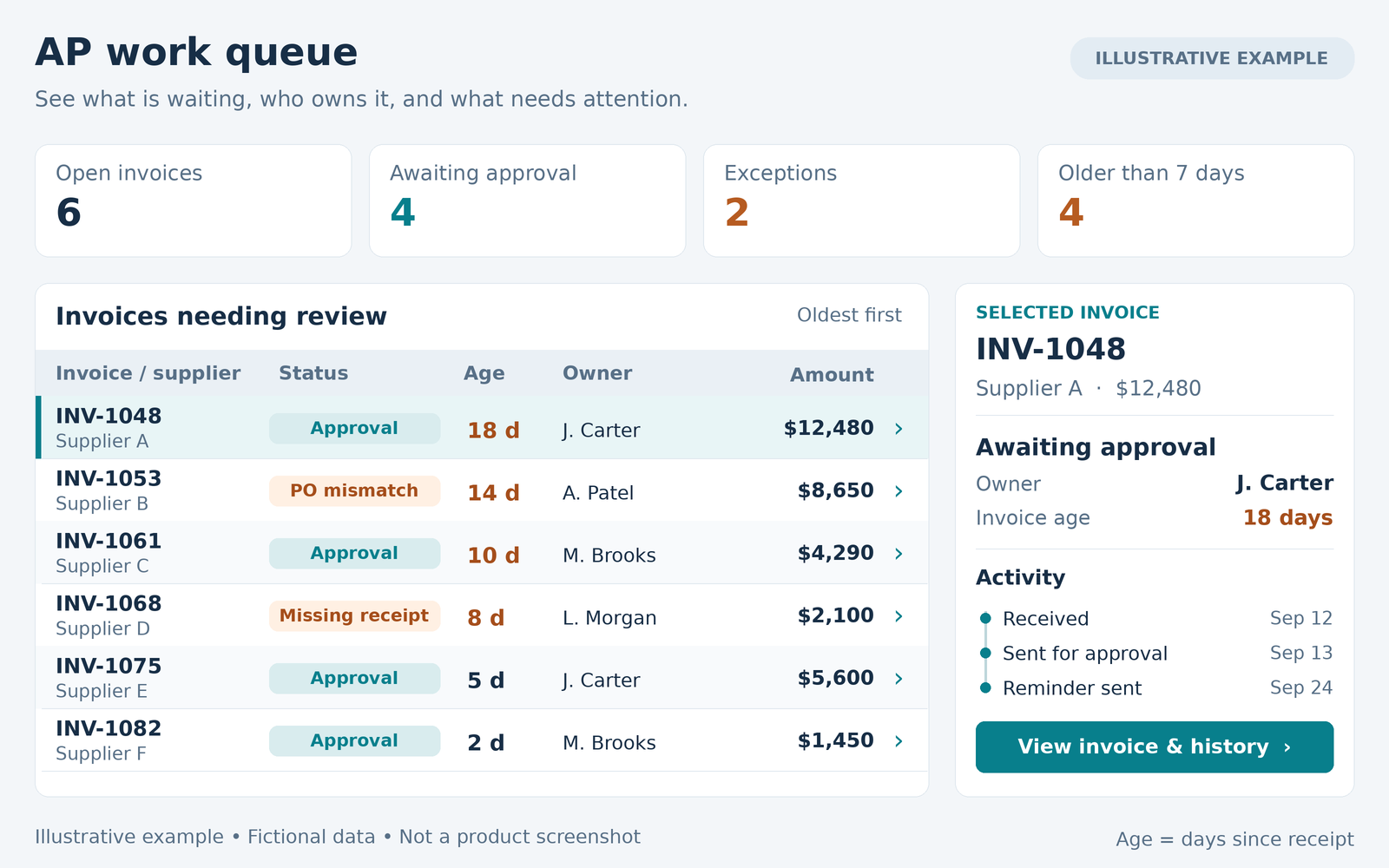
Each invoice follows the route your business rules call for. Anything missing or out of line goes to the person who can fix it, with the reason attached.
Paying vendors
Approved invoices move to payment by ACH, virtual card or check. Vendor enrollment and payment follow-up are handled for you, and payment status comes back to accounting.
AP automation for construction companies
In construction, invoices tie to jobs, phases, cost codes and commitments, so a coding mistake throws off job cost reports long after the invoice is paid. Our AP workflow, Compass, was built for that environment.
- Invoices checked against the vendor, job, commitment and cost code information already in your ERP
- Approvals from the field, so project managers can review invoices away from the office
- Checks for overruns against commitments and purchase orders
- Sales and use tax and freight validation
How customers use DTI for AP
Invoices ready before AP touches them
One customer's AP inbox was full of messages that weren't invoices, links to vendor portals, and PDFs with several invoices combined. DTI manages that inbox: separating invoices from everything else, downloading files from vendor portals and splitting combined PDFs, so their automation receives clean invoices and the AP team spends its time on accounting.
"DTI takes the time-consuming work of sorting our AP inbox and preparing invoices off our team's plate. We can focus on accounting instead of chasing portal links and splitting PDFs. Having a partner we can count on makes a real difference."
Jenny
A workflow built around the business, within the same budget
When one customer replaced its legacy AP platform, the packaged option it evaluated didn't meet important operating requirements. DTI built an AP workflow around how the company actually works and now handles its invoice preparation and routing, within the budget the company was already considering.
Payment automation in practice
Two customers use DTI's payment automation to pay vendors by ACH, virtual card and check, with vendor enrollment and payment follow-up handled for them.
ERP integration
We integrate AP with a range of ERP systems, including Penta, JD Edwards and SedonaOffice. Vendors, purchase orders, jobs and cost codes come in to validate each invoice, and approved invoices and document links go back to the ERP. Your ERP stays the system of record, and we review its available connections before recommending an approach.
Options for Penta customers
Many Penta customers have run AP on Penta's OnBase solution for years. If you're reconsidering that setup, our AP automation can store your documents in any of these three.
OnBase
Stay where you are, with an AP workflow built around how your team works.
Penta Vault
Penta's own document storage, sold and maintained by Penta. We send your AP documents into Vault so they stay inside Penta.
EasyFile
For teams that want more document management, forms and workflow than Penta Vault offers today, without OnBase.
Whichever one you choose, Compass connects your AP workflow to Penta, so where your documents are stored doesn't limit your AP automation. We'll walk through the tradeoffs and help you decide what fits. More for Penta customers
How long does it take?
Most AP automation projects take four to six months, and we've completed some in as little as eight weeks.
The biggest factor is how much time your team can give to testing and training alongside their daily work. A four to six month plan leaves room to do that properly without overloading your AP staff. If your team can commit more time, the project can move faster.

Questions about AP automation
How much does AP automation cost?
Most of our AP automation is priced by annual invoice volume, in tiers, plus a one-time implementation fee. Where you land depends mostly on how many invoices you process in a year, how many approval paths and exceptions your process has, which ERP it connects to, and whether you want software only or software plus services such as invoice processing. Tell us roughly how many invoices you process in a year, and we'll give you a range in the first conversation.
How long does it take to implement AP automation?
Most AP automation projects take four to six months, and we've completed some in as little as eight weeks. The biggest factor is how much time your team can give to testing and training alongside their daily work.
Will AP automation work with our ERP?
We integrate with a range of ERP systems, including Penta, JD Edwards and SedonaOffice. The first step is confirming what your ERP can send and receive, because that decides how much of the process can be automated.
Will this create more work for my AP team during the switch?
There's real work in testing and training, which is why we plan around your team's availability instead of compressing the schedule. After go-live, the goal is less manual entry, fewer emails chasing approvals and fewer vendor calls.
What happens when the software can't read an invoice correctly?
Uncertain values go to a person for review before they reach your ERP, so accuracy comes from checking the data as well as capturing it.
What are the options for Penta customers moving away from OnBase?
Penta customers can store AP documents in Penta Vault, which Penta sells and maintains, or in EasyFile for broader document management and workflow. DTI's AP automation works with OnBase, Penta Vault and EasyFile, so you can choose where your documents live on its merits.
Walk us through one invoice, start to finish
Bring a routine invoice and a difficult one. We'll show you where the time goes and what we'd change first.